
Every job, route and update in your drivers' pockets
Drivers see the rides assigned to them, their stops and their timings on their own phone, confirm each job with a tap and report progress back to the office — without a phone call, a text message or a printed run sheet.
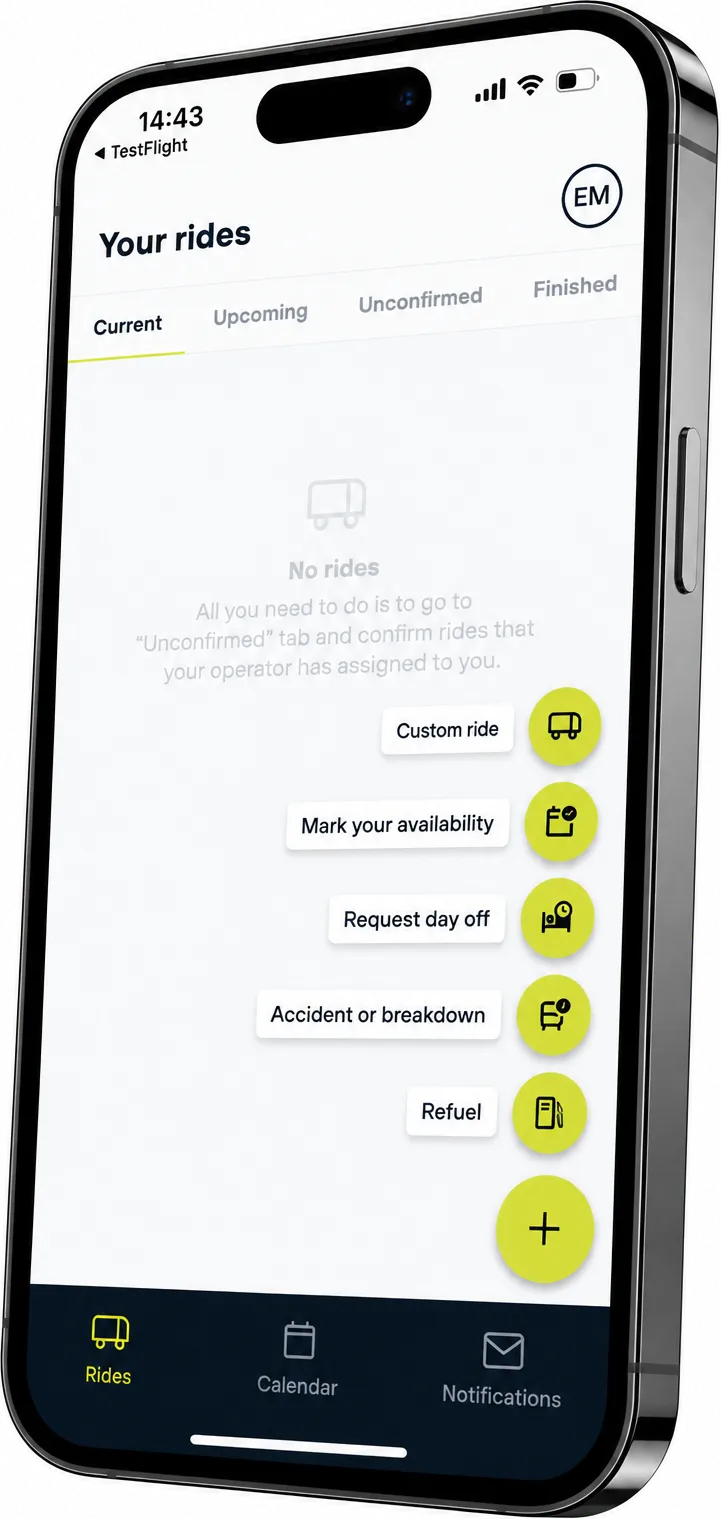
Every journey, in the driver's hand
Drivers open the app to find the work assigned to them: the vehicle they are taking, where each journey starts, the stops along the way and the times they are due. A ride is accepted with a single tap, so the office knows the job is covered without having to ring round for an answer.
As the journey runs, every stage the driver marks off flows straight back into Mobifer Ops. Dispatchers can see what has started, what is running behind and what is finished, and customers are updated from the same record — nobody has to call the vehicle to find out where it is.
Built for the cab, not the desk
What a driver needs on shift, on a screen they can read at a glance.
Assigned Jobs
Every ride allocated to the driver, with its vehicle, times and passenger count.
Turn-by-turn Routing
Each pickup and stop opens in the driver's own maps app, ready to navigate.
Shift Overview
The whole day in order, from the first departure to the final drop-off.
Checklists
Vehicle and departure checks completed in the app and recorded against the journey.
Passenger Details
Group size, contact details and any notes that came with the booking.
Status Reporting
One tap to confirm, start or complete a ride, straight into Mobifer Ops.
Why drivers get on with it
- No printed run sheets and no last-minute phone calls
- Drivers learn about a change as soon as it is made
- Dispatchers follow progress without chasing the vehicle
- One record of what actually happened on every journey

Put the next job in every driver's pocket
See the Driver App alongside Mobifer Ops in a 30-minute demo.